
Show and Tell #1: My AI-Driven Engineering Workflow
First in our Show and Tell series — engineers sharing what actually works. Michal Vlcek on how he stopped writing code and started managing a team of AI agents, shipping more than ever before.

This is the first post in our Show and Tell series. Internally, we run hour-long live sessions where engineers and tech leads walk the team through their workflows, tools, and daily habits. This post is a written summary of that session — condensed, but covering all the key ideas. The goal is simple: practical, real-world insights you can apply right away.
Over the past year, my engineering workflow changed more than in the previous five years combined.
Not because of a new framework. Not because of a new architecture. But because I stopped being the one who writes the code — and became the one who directs who does.
The twist? My entire team is made of AI agents.
It Starts With a Mindset Shift
The biggest change is not tooling — it's mindset.
I no longer optimize for writing code fast, staying in the IDE, or solving everything myself. Instead I optimize for giving clear instructions, parallelizing work, and reviewing and steering.
In practice, I spend most of my time:
- Writing tasks in Slack, Linear, and Devin
- Reviewing outputs: code, plans, PRs
- Nudging direction when agents go off track
I Run Multiple Threads in Parallel
One of the most counterintuitive parts of this workflow:
I actively work on multiple things at the same time.
Normally that sounds like context-switching hell. But with AI agents it works differently. I assign work — and then I leave.
At some point I get a Slack notification, a terminal update, or a question from the agent. Only then do I jump back in.
So instead of:
focus → implement → finish
It becomes:
delegate → wait → review → redirect
Because of that I can have several active dev sessions, return to them after hours (or even days), and use small time windows efficiently. I don't consciously limit the number of parallel tasks — agents complete work asynchronously anyway, usually within a few hours.
I Don't Need My Laptop Anymore
A surprising turning point came when I physically couldn't sit at my computer for a while — after my second child was born.
I still shipped multiple tickets per day. From my phone.
Using Slack, Linear, and Devin, I was able to give instructions, trigger tasks, review progress, do light code reviews, deploy to test environments, and verify simple UI changes. All from mobile.
That was previously unthinkable. Now it's normal.
You're the Tech Lead Now. Your Team Is Infinite.
The mental model that helped me most:
I have unlimited overachieving new hires. My job is to get maximum value out of them.
That implies I need to explain context clearly, break down problems, not expect perfect output on the first try, and expect iteration. Most importantly — I'm no longer the implementer. I'm the architect and reviewer.
This is similar to how good engineering managers think. You don't write the code — you create the conditions for good code to be written.
My tool of choice: Devin
I use both Devin and Claude Code, but Devin is my first choice for most tasks. The reason is simple: it's async and trivial to trigger — a Slack message or a Linear ticket is all it takes. I don't need to open a terminal, switch context, or be at my laptop. Claude Code is great for local, interactive sessions where I want tighter control, but Devin wins on ease of delegation.
In March 2026 alone I had 149 Devin sessions that resulted in 162 merged PRs, 17 closed PRs, and 12 still open. That ratio — more merged PRs than sessions — tells you something about how reliable the output has become. Devin integrates seamlessly with Slack and Linear, so I can assign work directly from a Linear ticket, with the full conversation synchronized.
Planning Is Everything
For anything non-trivial, I almost never start with implementation. I start with a plan.
Typical flow:
- Ask for a plan
- Review it
- Adjust it
- Only then execute
Even then — plans are often incomplete, things get missed, assumptions turn out wrong. So I check code, add hints, and refine direction as we go.
When using Devin from Slack I always ask it to "plan it first" before touching any code. For Claude Code in the terminal I use its built-in plan mode — and the Superpowers plugin is a must-have here. It significantly improves Claude's planning discipline: it forces proper exploration before jumping to implementation, structures the plan into a reviewable file, and keeps the agent focused on the right steps. If you're using Claude Code seriously, install it.
How Much Should You Guide?
This is the trickiest part.
Sometimes I give very detailed implementation instructions. Other times I intentionally give less direction — because AI sometimes comes up with better solutions than I would have. The calibration depends on domain familiarity:
- Unfamiliar domain (e.g. frontend) → I ask the agent for the top 2–3 approaches, pick one, then guide from there
- Familiar domain → I give specific implementation details and allow less freedom
When I Use What
| Situation | Approach |
|---|---|
| Simple bug / null pointer | Assign directly to Devin via Slack, no planning |
| Medium feature | Plan first, then execute with Claude Code or Devin |
| Multi-repo / system change | Break into sub-tickets, coordinate with Linear agent |
| Repetitive infra work | Pure delegation — scales extremely well |
| Incident root-causing | Devin reads logs and codebase, suggests fixes |
For the most complex tasks I use the Linear agent to create dependency-linked sub-tickets and coordinate work across repositories. A good example: auditing all usages of a category domain and consolidating access into a centralized domain layer — including cross-domain joins and coverage across all relevant CUEX repositories. Devin scanned the entire codebase, identified every caller, prepared a consolidation plan, and executed the migration. I reviewed.
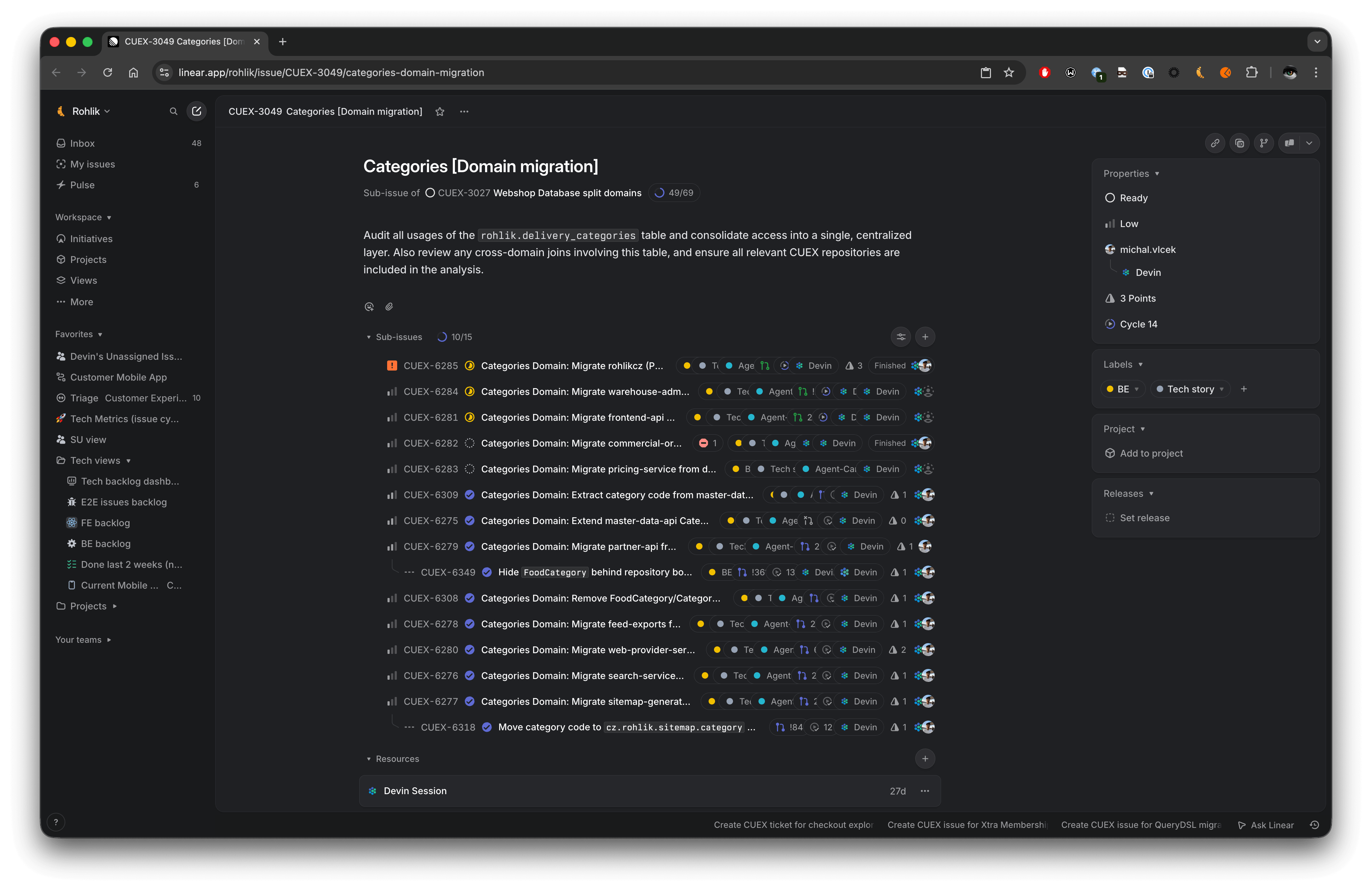
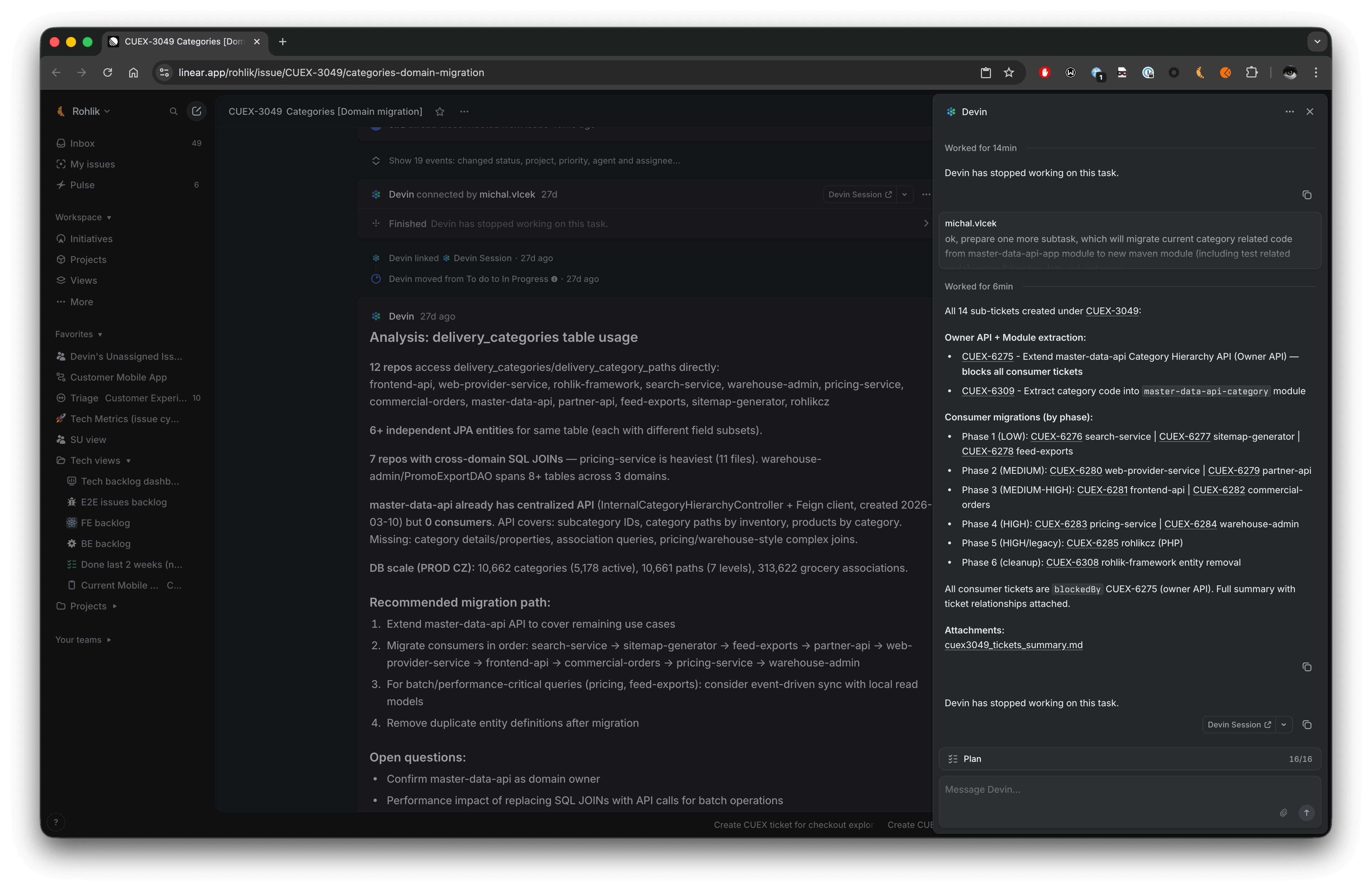
Category domain consolidation: Devin audited all usages across repositories, created the plan, and executed the migration.
My Daily Setup
For local work I use Claude Code in WARP terminal with the code-review panel open — so I can review AI-generated code without switching windows.
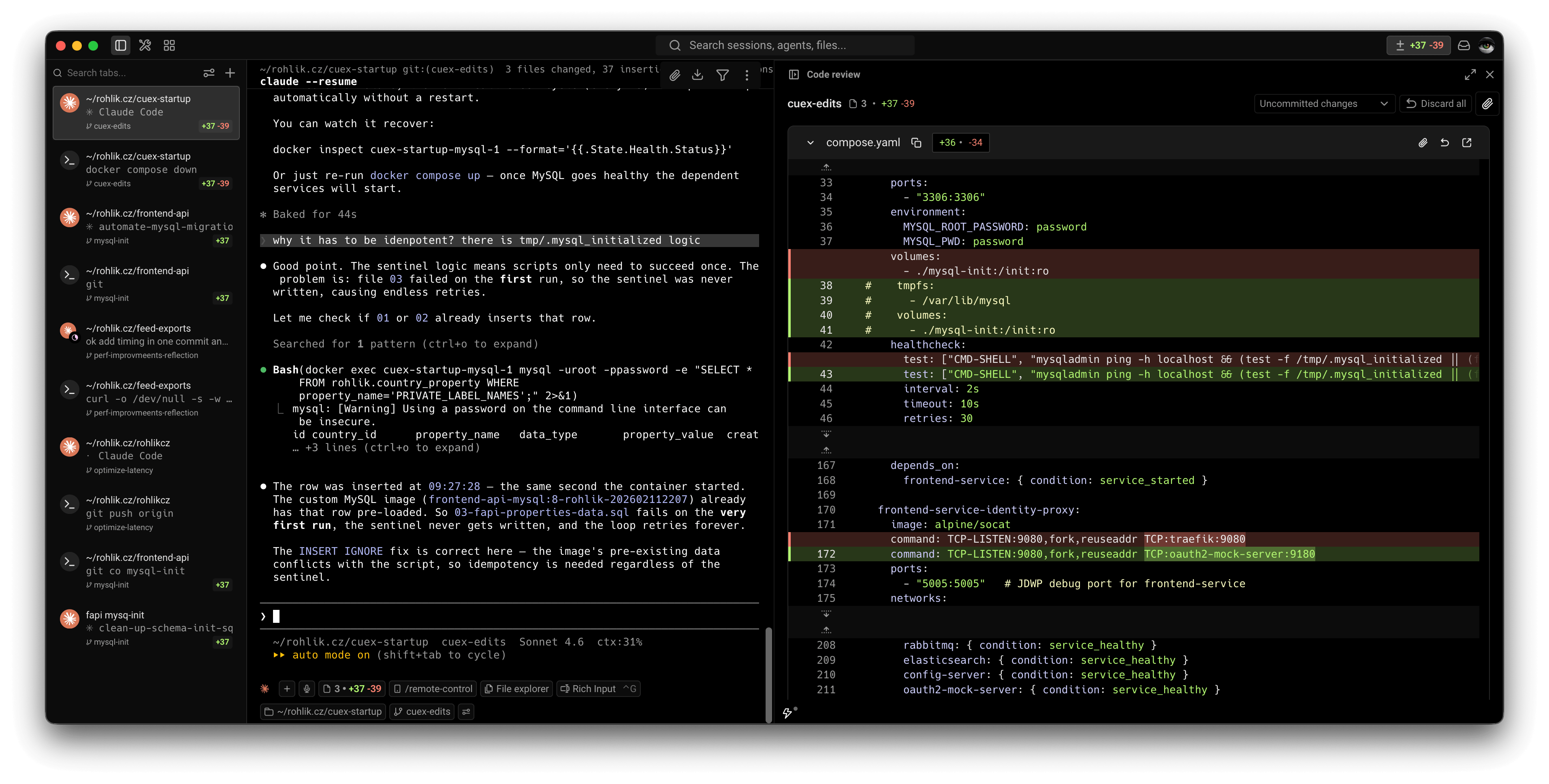
For task tracking I use:
- Linear — assigned tickets and chapter backlog
- Slack Later — my async to-do list for in-flight Devin sessions. And "later" really means later — an open Devin session can sit there for days or even weeks until I have a moment to get back to it. There's no urgency. It's a queue, not an alarm.
- GitLab overview — managing open PRs, assigning them to myself
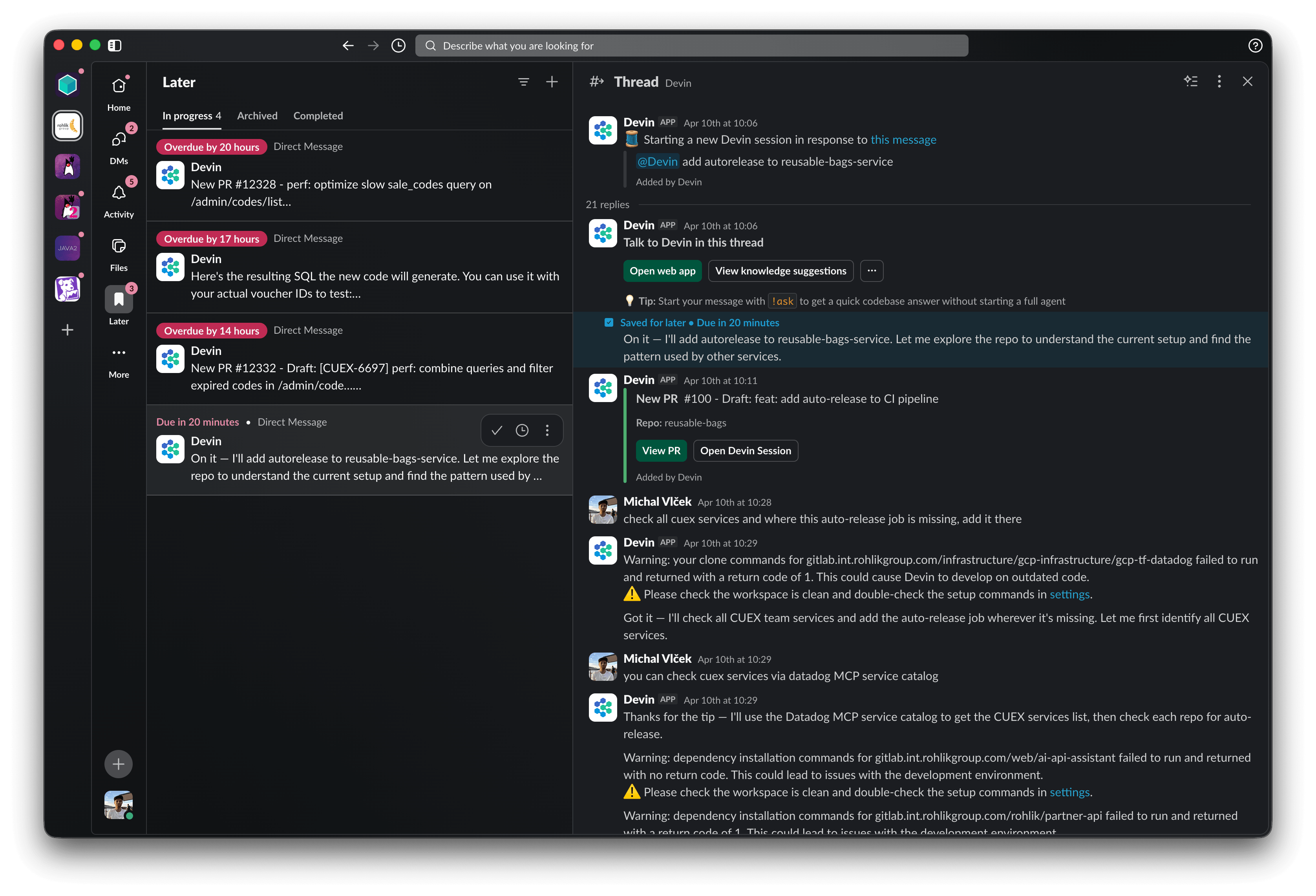
My Slack Later list — each pinned message is an open Devin session I'll get back to when I have time.
What Changed Most
Before:
- I was the bottleneck
- Everything depended on my time and availability
Now:
- I'm a coordinator
- Work happens even when I'm not actively coding
- Small issues get delegated immediately without breaking my focus
The ability to quickly delegate an incoming bug to Devin — without context-switching — is one of the biggest daily quality-of-life improvements. I mention Devin in Slack, return later, and the fix is ready to review.
What I Still Do Myself
Reviewing generated code is the one thing I'm not ready to delegate. Not yet, anyway.
Every PR that comes out of an agent session gets a proper review. This is where I spend most of my focused time — and I think it's the right place for a human to stay in the loop.
The team is actively working on AI-only reviews for simple changes (one-liners, obvious fixes), but for anything architectural or non-trivial, human review stays.
Final Thought
This is still evolving fast.
But one thing is already clear: the best engineers in the AI era won't be the fastest coders. They'll be the best task designers, reviewers, and system thinkers.
The IDE is no longer where work happens. It's where you read code, check usages, and structure ideas. The actual work — the execution — has moved to agents.
If you're curious about any part of this workflow, feel free to reach out. Happy to share more details or compare notes.