
Building an AI-Ready Data Warehouse: Semantic Layer and Intelligent Analytics at Rohlik
How we built a semantic layer in git and an AI-facing MCP gateway to make our Snowflake data warehouse trustworthy and accessible to everyone — including AI agents.
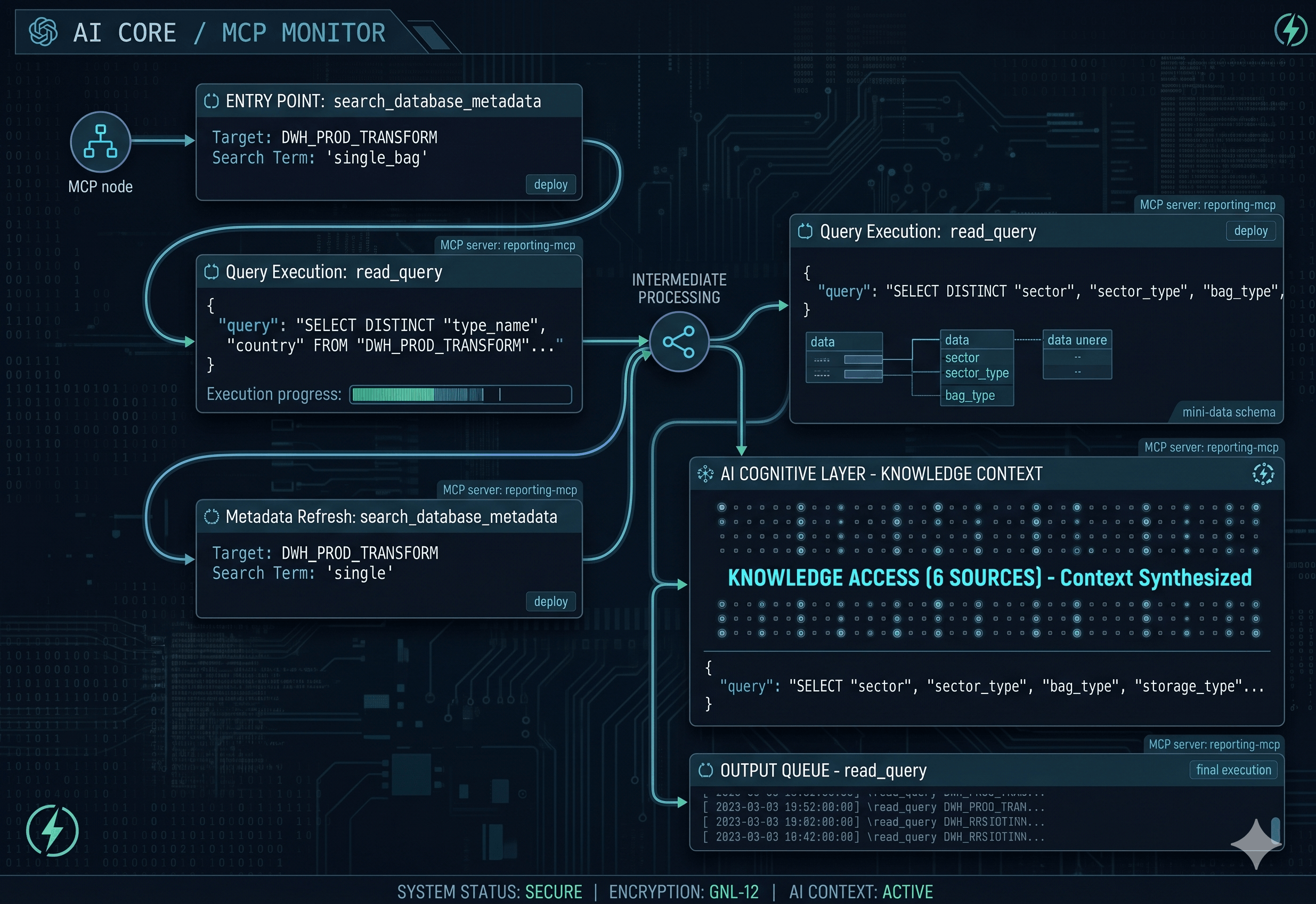
At Rohlik, our data warehouse in Snowflake spans dozens of teams, thousands of tables, and tens of thousands of columns. Analysts spend a significant chunk of their day answering recurring questions — margins by category, regional comparisons, KPI pulls for weekly reviews. These questions look simple from the outside, but answering them correctly requires deep institutional knowledge: which schema holds the right table, which metric definition finance actually signed off on, and which dashboard is the canonical source.
This post tells the story of how we tackled this problem in two layers: first, by building a semantic layer in git that documents and codifies our business logic as version-controlled SQL; and second, by building reporting-mcp, an AI-facing gateway that makes that knowledge — and the entire data stack — accessible to AI assistants at runtime.
Part 1: The Problem
Undocumented Warehouses
A data warehouse without a semantic layer is like a codebase without types — everything technically works, but you spend more time reading source code than shipping features. Analysts re-derive the same calculations. Junior engineers learn what sub_order = 0 means by making the wrong query first. AI assistants hallucinate column names.
AI Writing SQL Is Not Enough
Large language models are surprisingly good at writing SQL. Give one a table schema and a question, and it will usually produce something syntactically correct. The problem is correctness at the business logic level.
Consider gross_margin. Every company defines it slightly differently. Ours has an approved formula that accounts for specific cost buckets, currency adjustments, and handling fees. An LLM writing SQL from scratch might get close — but "close" in a finance report is wrong.
Even if the model writes perfect SQL, it still needs to know where to look. With thousands of tables across dozens of schemas, without a way to navigate that structure, the model is guessing.
We needed to solve this at the foundation: document the warehouse, codify the business logic, and then give AI agents structured access to all of it.
Part 2: The Semantic Layer — Foundation in Git
We wanted three things:
- Table and column descriptions — what every object in the warehouse actually means
- Verified queries — canonical, tested answers to common business questions
- Automation — all of it deployed and tracked with zero manual upkeep
All stored in git, version-controlled, peer-reviewed, and deployed by Airflow.
Table and Column Descriptions
The simplest form of semantic metadata is a comment. Snowflake lets you attach a COMMENT to any table or column, surfaced natively in every SQL client and queryable via INFORMATION_SCHEMA.
We track completeness through a dedicated table: DWH_PROD.SEMANTIC_LAYER.DATA_QUALITY_LABELS. Every table and column in production gets a row, and a labels array records what's missing — for example, ['missing_description'] if the comment hasn't been filled in yet.
A weekly Airflow job (semantic_layer_weekly) aggregates this into two SCD2 snapshot tables:
-- STATS_COLUMNS_SNAPSHOT tracks, per table, over time:
--   columns_count
--   columns_without_metadata        — how many columns still lack a description
--   columns_without_metadata_percentage
--   datasensai_access_count         — columns that ARE described (can be used by AI tools)
--   description_filled              — whether the parent table itself has a description
The SCD2 pattern is intentional — it lets us plot documentation coverage over time, not just see today's state. A merge checks whether anything changed; if it did, the old row gets a VALID_TO timestamp and a new one is inserted. The engineering metrics dashboard shows the trend as a KPI.
The rules enforced in our codebase conventions are clear: all production tables must include structured table-level comments and column-level comments. This is non-negotiable. Temporary tables (tmp_*) and work schemas (WORK_*) are exempt. Everything else is not.
Verified Queries
Column descriptions tell you what a column is. Verified queries tell you how to use the data correctly.
A verified query is a Snowflake view in DWH_PROD.SEMANTIC_LAYER, prefixed vq_, that encodes a tested, production-ready answer to a business question. The naming convention makes intent explicit:
vq_{domain}_{metric}_by_{dimensions}
Domain prefixes: com (Commercial), fin (Finance), sup (Supply Chain), cus (Customer), wh (Warehouse), log (Logistics), gen (General), hr (HR).
Here's a real example — Average Order Value by country:
CREATE OR REPLACE VIEW "vq_com_average_order_value_by_country"
(
    "deliver_date"        COMMENT 'Delivery date',
    "country"             COMMENT 'Country code (cz, de, at, hu, ro)',
    "total_gr"            COMMENT 'Total gross revenue in local currency',
    "order_count"         COMMENT 'Count of distinct master orders (including parent and sub-orders)',
    "average_order_value" COMMENT 'Average order value (total GR / order count) in local currency'
)
COMMENT = '{
  "domains": ["Commercial"],
  "description": "Daily Average Order Value (AOV) by country...",
  "question": "What was the Average Order Value for all orders delivered in a given country and period?",
  "load_type": "VIEW"
}'
AS
SELECT
    TO_DATE("deliver_at") AS "deliver_date",
    "country",
    SUM("gr") AS "total_gr",
    COUNT(DISTINCT "master_order_unique_id") AS "order_count",
    DIV0("total_gr", "order_count") AS "average_order_value"
FROM DWH_PROD_TRANSFORM.TR_LEVEL_4."aggregated_order"
WHERE "finished_order" = 1
  AND "deliver_at" >= DATEADD('month', -13, CURRENT_DATE)
GROUP BY ALL;
Notice what's packed in here:
- Column-level
COMMENTon every output column — no guessing whattotal_grmeans - Table-level
COMMENTas JSON — machine-readable metadata: business domain, natural language question, plain English description - The correct business logic —
finished_order = 1,master_order_unique_id(notunique_id, that would include suborders and make the result wrong), 13-month rolling window - Double-quoted identifiers throughout — consistent with SQL standards
At the time of writing there are tens of views covering Commercial, Finance, Supply Chain, Customer, and Warehousing metrics.
Deployment and Storage
Adding a new verified query is a three-step process: write it, validate it against production, commit.
Verified queries are available as views, but we also maintain a flat DWH_PROD.SEMANTIC_LAYER.VERIFIED_QUERIES table, rebuilt daily by a stored procedure. It iterates over every vq_* view, extracts the SELECT body and column comments, and writes structured rows:
ID                  | UUID
QUESTION            | "What was the AOV...?"
DESCRIPTION         | "Daily AOV by country..."
SQL_QUERY           | "SELECT TRY_TO_DATE(...)..."
COLUMN_DESCRIPTIONS | {"deliver_date": "Delivery date", ...}
LABELS              | ["Commercial"]
QUESTION_VECTOR     | NULL  ← reserved for future embeddings
Everything is version-controlled and peer-reviewed. Nothing requires a separate metadata platform. Deployment is automated.
Part 3: reporting-mcp — Making the Semantic Layer AI-Accessible
With a documented warehouse and a library of verified queries in place, the next step was making all of this accessible to AI assistants at runtime. We built reporting-mcp, a Model Context Protocol server — an open standard for giving AI agents structured access to external systems.
It exposes ten tools that Claude (or any MCP-compatible agent) can call.
Data Warehouse Access
| Tool | What it does |
|---|---|
search_database_metadata | Navigate Snowflake hierarchically: databases → schemas → tables → columns, or search by keyword |
read_query | Execute a validated read-only SELECT against Snowflake |
The metadata tool lets the agent explore in real time: "What schemas are in DWH_PROD? What tables are in TR_LEVEL_4? What columns does orders_daily have?" — all against the actual current schema.
Semantic Layer Integration — the Key Piece
| Tool | What it does |
|---|---|
search_verified_queries | Find pre-approved SQL queries matching a keyword |
search_tableau_metrics | Find approved metric definitions with standardized formulas |
This is the part that closes the loop. Before writing any SQL, the agent checks if a verified query already exists — drawing from the same vq_* views and VERIFIED_QUERIES table described above. If a match exists, the agent uses it verbatim. No improvisation.
Metric definitions work the same way. search_tableau_metrics(search_term="margin") returns the exact formula the finance team approved — including edge cases, exclusions, and currency handling. However our current goal is to move all metrics from Tableau into GIT and Snowflake, which will further enhance our semantic layer and will empower AI agents.
BI Tool Integration
| Tool | What it does |
|---|---|
query_tableau_workbooks | Search Tableau workbooks by keyword |
query_tableau_views | Search individual Tableau views/sheets |
get_tableau_workbook_details | List all views in a workbook |
get_tableau_view_data | Export view data as CSV with optional filters |
query_metabase_reports | Search Metabase reports by keyword |
get_metabase_report_data | Retrieve Metabase report results |
An agent can find and pull the data behind an existing dashboard without a human having to locate the right workbook ID. "Find the KPI workbook and get me the weekly revenue view filtered to CZ" is a complete, executable request.
Part 4: Architecture and Design Decisions
How reporting-mcp Is Built
Key design choices:
- Read-only by default. Write operations exist in the codebase but are disabled unless
ALLOW_WRITE=trueis explicitly set. The default posture is safe for an agent that might make mistakes. - Query validation before execution. Every query passed to
read_queryis validated: it must start withSELECT,SHOW,DESCRIBE, or similar read-only keywords. Anything that looks like a mutation is rejected. - Single metadata tool, not many. One
search_database_metadatatool routes based on parameters provided. Fewer tools means less overhead for the model deciding what to call. - Semantic layer first. Tool docstrings explicitly tell the agent to check verified queries and metric definitions before writing custom SQL. This is prompt-level guidance baked into the tool contract.
Semantic Layer Design Principles
- Start with conventions, not tooling. The most valuable investment was writing down how to describe a table — the JSON format, which fields are required, what a good description looks like. The tooling followed naturally once everyone agreed on the contract.
- Make the right thing automatic. Automated jobs deploy verified queries and report coverage. No one has to remember.
- SQL views are documentation. A
CREATE OR REPLACE VIEWwith column comments and a JSON metadata block is simultaneously executable code, documentation, and a machine-readable API. - Reserve space for what's coming. The
QUESTION_VECTORcolumn costs nothing today and makes the semantic search upgrade a column fill rather than a schema change.
Part 5: How It Works in Practice
Here's a simplified trace of what happens when someone asks: "What was our order fulfillment rate in Germany last week?"
1. search_verified_queries(search_term="fulfillment rate")
   → Found: "Weekly fulfillment rate by country" (verified 2025-11-03)
   → Query: SELECT country, date_trunc('week', order_date) as week, ...

2. read_query(query="SELECT ... WHERE country = 'DE' AND week = '2026-04-13'")
   → Returns: [{country: DE, week: 2026-04-13, fulfillment_rate: 0.971}]

3. Response: "Germany's fulfillment rate last week was 97.1%."
No schema exploration needed because a verified query existed. The whole round trip takes a few seconds. Without this system, it would have required a human to locate the right query, adjust the filters, run it, and paste the result. If human needs further drilling, adding dimensions or reshaping the result - AI agent simply adjusts current verified query. No need to build it from scratch. This makes the result more precise.
When no verified query exists, the flow is longer — the agent explores schemas, drafts SQL, and notes that the result should be cross-checked — but it's still largely automated. And as more verified queries are added, the agent's coverage improves — not because anything was retrained, but because there are more correct answers it can retrieve and reuse.
Part 6: How People Actually Use It — Devin as the Data Interface
The technical stack described above would be useful even if only data engineers interacted with it. But the real payoff comes from who's using it day to day: product managers, category managers, finance controllers, operations teams — people who need answers from the DWH but have no reason to write SQL or navigate Snowflake.
At Rohlik, these users interact with Devin, an AI assistant that has reporting-mcp connected as one of its tools. There are two main entry points:
Direct in the Devin App
Anyone in the company can open the Devin app and ask a data question in natural language: "What was our AOV in Hungary last week?", "How does CZ margin compare month over month?", "Show me the top 10 underperforming categories by fulfillment rate." Devin handles the rest — searching for verified queries, pulling the right data, and returning a clear answer. No Snowflake login, no SQL, no waiting for an analyst to get to it.
The #ask-data Slack Channel
We used to have multliple slack channels dedicated for data related questions. Now we have everything unified under one channel #ask-data. Users post their question, Devin picks it up, and the conversation happens right in the thread. Follow-up questions, filters, breakdowns — it's all interactive. A product manager can ask for a number, get it, then immediately say "now break that down by warehouse" without context-switching to another tool. It allows more people to collaborate in one slack thread, or even pointing out wrong answers so that data team can easily see whole conversation and fix the issue (like adding new verified query)
Why This Matters
The numbers back this up. In the last month alone, there were 1,500 Devin sessions touching data and analytics topics, from 371 unique users across the company. That's not a handful of power users — it's a broad cross-section of the business getting answers from the warehouse without ever opening Snowflake.
This changes the operating model for data teams. Instead of fielding a queue of ad-hoc requests — each requiring an analyst to understand the question, find the right table, write the query, and format the result — the semantic layer and Devin handle the routine questions automatically. Analysts are freed to focus on deeper analysis, modeling, and building new verified queries that expand what Devin can answer next time.
The trust model is critical here. Because Devin draws from verified queries and approved metric definitions, the answers it gives are the same numbers that appear in the official dashboards. Users aren't getting AI-improvised calculations — they're getting the finance-approved formula, executed on live data, delivered in seconds.
Part 7: What's Next
A few areas we'd approach differently or plan to improve:
- Structured output from
read_query. Currently the tool returns formatted text. Returning structured JSON or a typed schema would make it easier for downstream tools to process results programmatically. - Query cost estimation before execution. Large Snowflake queries can be expensive. Adding a dry-run or cost-estimation step would prevent accidental full-table scans.
- Smarter search for verified queries. The current search is keyword
ILIKEagainst a text column. Vector similarity search (using the reservedQUESTION_VECTORcolumn) against query descriptions would surface relevant queries more reliably when the exact term doesn't match. - Expanding documentation coverage. Coverage gaps still exist, and the embedding story is still ahead of us. But the system is in version control, it deploys itself, and it gets a little more complete with every PR.
Takeaway
The semantic layer and reporting-mcp together represent a two-part approach to the same problem: making institutional data knowledge accessible, trustworthy, and machine-readable.
The semantic layer — verified queries, column descriptions, metadata tracking — forms the foundation. It ensures that business logic is codified once, peer-reviewed, and deployed automatically. Its value is immediate for human users and compounds over time as coverage grows.
reporting-mcp is the access layer. It doesn't replace human understanding of the data — it makes that understanding available to AI agents that would otherwise have to guess. The ten tools it exposes are a thin but well-considered interface over a complex data stack. That simplicity is intentional — fewer, better-defined tools are easier for agents to use correctly.
The key insight is that the semantic layer doubles as a prompt-engineering tool. Every verified query added to the library is one more question an AI agent can answer correctly on the first try — without retraining, without hardcoding, and with the same numbers the official dashboards show.
If you're running a modern data stack and want to give AI assistants real, trustworthy access to it, the pattern here is worth a look: document the logic in code, deploy it automatically, and expose it through a structured protocol.